Best Silicone Case Fit for AirPods 4, Pro 2 & AirPods 3

Silicone Case for Apple AirPods 4, AirPods Pro 2, and AirPods 3
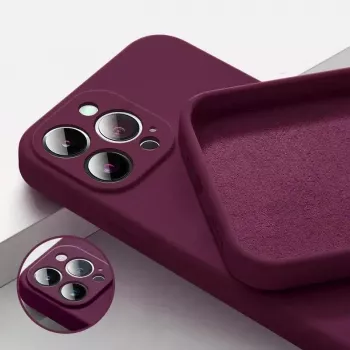
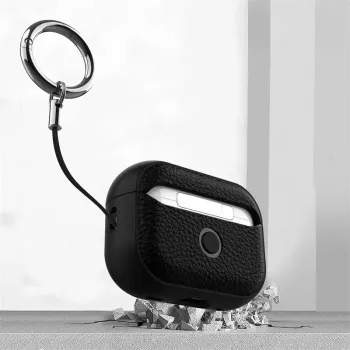
A silicone case adds everyday protection and grip without turning AirPods into a bulky accessory. The best ones feel secure in your hand, stay aligned around the lid seam, and keep charging simple—whether your AirPods are used for commuting, workouts, travel, or daily carry.
If you want an easy, low-cost upgrade, start with a slim, model-specific option like the Silicone Case for Apple AirPods 4, AirPods Pro 2, AirPods 3, then build a small “grab-and-go” charging kit around your earbuds.
What a Silicone Case Helps With
- Scratch and scuff protection for the charging case during pocket, bag, and desk use
- Improved grip to reduce drops, especially with sweaty hands or fast grab-and-go moments
- A buffer against minor bumps and corner dings from everyday handling
- Easier identification when multiple similar AirPods cases are around (home, office, gym)
- A simple way to refresh the look of a charging case without replacing it
Compatibility and Fit: AirPods 4 vs AirPods Pro 2 vs AirPods 3
Fit is the difference between a case that feels “invisible” and one that constantly slides, pinches at the hinge, or blocks a light. Before buying, confirm the exact AirPods generation, because the case shape, lid geometry, and hinge area are not interchangeable across models. Apple’s own guide is a reliable reference for model identification: Apple Support — Identify your AirPods.
- Confirm the exact AirPods generation before purchase; case shapes and hinge areas differ between models
- Look for a snug, form-fitting design that doesn’t shift around the lid seam
- Check for precise cutouts around the charging port, indicator light, and pairing button (if applicable)
- A well-molded silicone shell should allow the lid to open fully without catching
- If using a lanyard or keyring, ensure the attachment point sits where it won’t interfere with pocket carry
Quick Fit Checklist by AirPods Model
| Model | Fit focus | What to verify before buying | Daily-use tip |
|---|---|---|---|
| AirPods 4 | Lid alignment and seam coverage | Clean lid opening with no rubbing; port cutout centered | Choose a grippy texture if the case is frequently handled one-handed |
| AirPods Pro 2 | Cutout precision around controls/indicators | No blocking of charging port; indicator visibility; hinge movement | A snug fit helps when the case rides in gym bags or jacket pockets |
| AirPods 3 | Corner protection and lid clearance | Edges sit flush; lid opens fully; silicone doesn’t bunch near hinge | Pick a color that’s easy to spot inside bags |
Material Feel and Grip: Soft-Touch vs Sticky Silicone
Silicone isn’t all the same. Some blends are buttery and smooth, while others are tackier for grip. The right choice depends on where your AirPods spend most of their time—pockets, gym bags, desk tops, or car consoles.
- Softer silicone can feel smooth and comfortable but may attract more lint in pockets
- A slightly firmer silicone often holds shape better and can resist stretching over time
- Matte finishes tend to hide fingerprints and small marks more effectively than glossy finishes
- Textured surfaces can improve grip but may be harder to wipe clean after workouts
- If the case includes a strap or loop, check that it feels sturdy and doesn’t twist the silicone body
For commuting and everyday carry, a matte, slightly firmer silicone usually strikes the best balance: it stays aligned around the lid seam and doesn’t feel overly “grabby” when sliding in and out of pockets.
Charging and Everyday Access
A good silicone case protects without adding friction to the routines that matter: quick battery checks, easy lid flips, and painless charging. The most common problems come from overly thick silicone or cutouts that aren’t centered.
For a practical charging setup while traveling or working away from home, pairing earbuds with a compact power source and a high-output cable can reduce the “dead battery” moments. Consider the 20W Fast Charging Power Bank 10000mAh for iPhone 16/15/14/13/12 and the 240W USB-C Fast Charging Cable for Apple iPhone 16, MacBook & More to keep the rest of your everyday tech topped up alongside your earbuds.
If charging ever becomes inconsistent, Apple’s troubleshooting steps can help isolate whether the issue is power, cable, debris, or alignment: Apple Support — If your AirPods won’t charge.
Protection Level: What Silicone Can (and Can’t) Do
Cleaning and Care
A Budget-Friendly Pick for Daily Protection
For a straightforward upgrade that protects against scuffs and adds grip without bulk, the Silicone Case for Apple AirPods 4, AirPods Pro 2, AirPods 3 keeps daily carry simple while helping your charging case stay cleaner and easier to handle.
FAQ
Will a silicone case affect wireless charging?
Most thin silicone cases still allow reliable wireless charging, but extra-thick material or slight misalignment on a charging pad can reduce consistency. If wireless charging is a priority, choose a slim case and test it on the charger you use most often.
How can lint and dust be removed from silicone?
Wipe it with a lightly damp microfiber cloth for everyday cleanup, and use mild soap and water for deeper cleaning. For stubborn lint, tape or a lint roller lifts debris quickly—just let the case dry fully before putting it back on.
How is the correct case chosen for AirPods 4, AirPods Pro 2, or AirPods 3?
Confirm your exact AirPods model first, then check that the case has precise cutouts for the charging port and indicator light, plus clean hinge clearance and a snug lid fit. Because the shapes differ by generation, cases aren’t interchangeable between AirPods 4, AirPods Pro 2, and AirPods 3.








Leave a comment